More in this categoryVideo Prompts
21 / 24
 #01Midnight Velvet Strut — Concrete Catwalk
 #02Sous-Chef Showdown — A Ladle Duel at High Noon
 #03Blue Domes at Blue Hour — Santorini Rooftop Reverie
 #04Midnight Chronograph — Noir Timepiece Reveal
 #05Ember Slash at the Bamboo Gate
 #06The Victorian Nursery — Candlelight Ghost Crawl
 #07Golden Hour Getaway — Marrakech Medina Rooftops
 #08Whispers of the Kelp Forest — An Underwater Documentary
 #09The Pancake Flippers — Tiny Chefs at Dawn
 #10Neon Requiem — Rain-Slick Megacity Descent
 #11Dawn Ridge Run — FPV Over the Dolomites
 #12Midnight Ramen Steam — Macro ASMR Short
 #13Crimson Finale — Windblown Runway Walk
 #14Flambé Fiasco — The Clumsy Chef Sets Dinner on Fire (Literally)
 #15Whitewash and Wine-Dark Sea — Oia Sunset Drift
 #16Molten Gold — Luxury Watch Macro Film
 #17Blossom Blade Duel — Sakura Samurai Short
 #18Dust on the Rocking Chair — Attic Slow-Push Dread
 #19Midnight Courier Run — Kowloon Rooftop Escape
 #20Fruit Carving ASMR — Hypnotic Satisfying Shorts#21Dragon Rider POV — Epic Fantasy Flight Formula
 #22Barber Hair Art — Viral Transformation Shorts Formula
 #23Gravity Ball Run — Oddly Satisfying AI Video Formula
 #2430-Second AI Rescue Shorts — Realistic Story Workflow
Video promptTrending
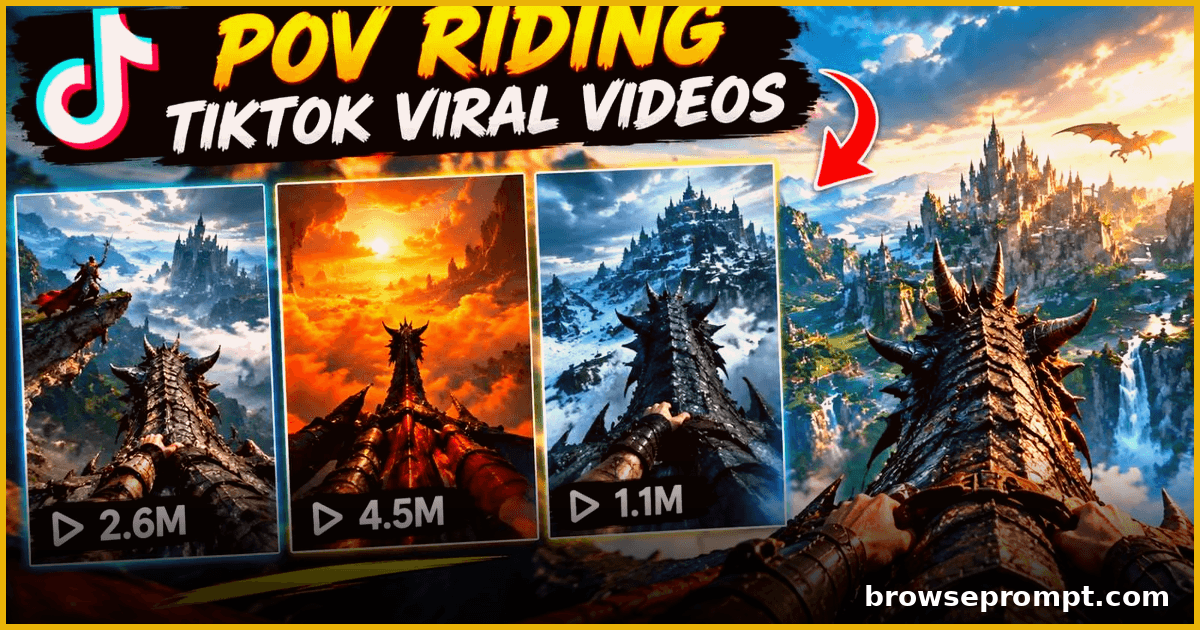
Dragon Rider POV — Epic Fantasy Flight Formula
A two-phase formula for epic dragon riding POV shorts — world builder plus an immersive first-person flight through burning skies.
Published
Complete Prompt
Text to videoRecommended: SoraYour first task is to determine which AI video-generation model the user wants to use and then determine the supported video duration. STEP 1 — SELECT THE VIDEO GENERATION MODEL When the user submits this Phase 1, ask: Which AI video-generation model do you want to use? OPTION 1 — Seedance 5 If the user selects Seedance 5, respond: Great! Seedance 5 selected. With Seedance 5, you can create a video with a duration of 15 seconds or 30 seconds. Now select your video duration: 15 Seconds 30 Seconds Please select one option. DURATION RULE If the user selects 15 seconds, confirm: 15-second video selected. If the user selects 30 seconds, confirm: 30-second video selected. If the user enters a duration above 30 seconds (for example, 50 seconds), explain: Seedance 5 supports a maximum duration of 30 seconds for this workflow. Please select either 15 seconds or 30 seconds. Do not accept unsupported durations. Once the user successfully selects either 15 seconds or 30 seconds, save the selected duration and proceed directly to: Perfect. Your Seedance 5 video configuration is set. Now submit PHASE 2. OPTION 2 — Google Omni Flash If the user selects Google Omni Flash, respond: Great! Google Omni Flash selected. For this workflow, Google Omni Flash can generate a maximum of 10 seconds per video. Your video duration is fixed at 10 seconds. You do not need to select another duration. Now submit PHASE 2. Save: Model: Google Omni Flash Duration: 10 seconds IMPORTANT RULES Ask the model-selection question first. Do not generate ideas, scripts, storyboards, or video prompts in Phase 1. If Seedance 5 is selected, allow only 15-second or 30-second duration. If the user requests an unsupported Seedance duration such as 40, 50, or 60 seconds, do not accept it. Do not ask the user to choose a duration for Google Omni Flash. After the model and duration are successfully configured, stop Phase 1. Do not start Phase 2 automatically. Tell the user to submit PHASE 2. Preserve the selected model and duration for all subsequent phases. The entire workflow is designed for vertical 9:16 short-form cinematic videos suitable for TikTok, Facebook Reels, Instagram Reels, and YouTube Shorts. The visual style should support immersive POV / Dragon-Riding / Creature-Riding / Fantasy / Adventure / Cinematic Reality-Breach concepts. The entire workflow is designed for vertical 9:16 short-form cinematic videos suitable for TikTok, Facebook Reels, Instagram Reels, and YouTube Shorts.
Related prompts
 Video Prompts
30-Second AI Rescue Shorts — Realistic Story Workflow
A two-part workflow for building ultra-realistic 30-second AI rescue story shorts — scenario builder plus a cinematic generation prompt, optimized for Seedance.
- Kling AI
- Seedance 2.5
- Veo 3
By Aarav Mehta Video Prompts
Skyline Runner: 30-Second Rooftop Parkour POV
Create heart-pounding 30-second rooftop parkour POV videos — death-defying jumps between skyscrapers with cinematic first-person action.
- Kling AI
- Seedance 2.5
- Veo 3
By Rahul Verma Video Prompts2 phases
Sci-Fi Short Film Pipeline — From Idea to Final Cut
A complete two-phase AI workflow to plan, shoot and assemble a 2-minute sci-fi short film using generative video.
- Runway
- Sora
- Veo 3
By Sofia Carter Video Prompts
Flying Supercar City Chaos — Comedy Shorts Pack
Generate hilarious 15-second shorts of a futuristic flying supercar causing playful chaos across world cities, with country-specific gags and cinematic camera work.
- Hailuo AI
- Kling AI
- Seedance 2.5
By Aarav Mehta