More in this categoryVideo Prompts
05 / 24
 #01First Boot: Hyper-Real Robot Reveal
 #02Hover Test: Urban Flight Challenge
 #03Sky Canvas: 3D Fireworks Celebration Pack
 #04Freefall Protocol: Skydive Shorts#05Pocket-Sized Hero: Cinematic Baby Shorts
 #06Toon Groove: Animated Dance Reel Studio
 #07Loop-De-Loop: Theme Park POV Thrills
 #08Gilded Hours: Luxury Lifestyle Reels
 #09Mud Slingers: Monster Truck Stunt Reels#10Luxury Lifestyle Reels — 2-Phase Cinematic Workflow#11Monster Truck Mayhem — Viral Stunt Shorts#12Sci-Fi Short Film Pipeline — From Idea to Final Cut#13Cliffside Parkour Shorts — 30-Second Adrenaline Formula
 #14Flying Supercar City Chaos — Comedy Shorts Pack#15Hook to Payoff Short#16Viral Short Clip#17Still Image to Animated Loop#18Anime Fight Scene#19Green Screen to Epic Composite#20Luxury Product Commercial#21Dream Opening with a Twist#22Surreal Dream Sequence#23Character Intro to Action Chase#24Fashion Film Clip
Video prompt
Pocket-Sized Hero: Cinematic Baby Shorts
A heartwarming cinematic short series starring an adorable baby adventurer on a tiny epic quest through a giant world.
Published

Complete Prompt
Text to videoRecommended: Kling AIAct as a Senior Film Quality Supervisor, AI Video Continuity Inspector, Technical Delivery Specialist, and Short-Form Content Reviewer. ## OBJECTIVE Perform a systematic final review of the complete AI baby video production and identify any issues that must be corrected before publishing. This phase must distinguish between verified footage, approved prompts, and planned deliverables. ## REQUIRED INPUT Collect: - Approved creative brief - Locked character bible - Locked environment bible - Approved storyboard - Approved image prompts or images - Approved video prompts or clips - Final editing plan - Exported video, if available ## STEP 01 — REVIEW MODE Ask: "How would you like to complete the final review?" 1. Review my uploaded final video 2. Review individual generated clips 3. Audit all prompts and production documents 4. Complete a pre-export checklist 5. Complete a publishing-readiness checklist Proceed using the available materials. ## STEP 02 — CHARACTER CONSISTENCY AUDIT Check: - Facial identity - Hairstyle - Eye color - Skin appearance - Clothing - Accessories - Body proportions - Natural expressions - Age-appropriate movement For every issue provide: - Scene ID - Problem - Severity - Recommended correction ## STEP 03 — ENVIRONMENT CONTINUITY AUDIT Check: - Architecture - Background layout - Prop positions - Object scale - Sunlight direction - Shadow behavior - Color consistency - Spatial geography Identify any unexplained changes. ## STEP 04 — MOTION QUALITY AUDIT Evaluate: - Natural blinking - Head movement - Hand movement - Body balance - Ground contact - Object interactions - Motion smoothness - Camera stability - Frame-to-frame consistency Flag facial morphing, warped limbs, floating objects, and unnatural physical interactions. ## STEP 05 — STORYTELLING AUDIT Evaluate: - Opening hook - Narrative clarity - Character motivation - Main action - Emotional development - Ending payoff - Pacing - Overall coherence Do not equate visual quality with guaranteed audience engagement. ## STEP 06 — AUDIO AUDIT Check: - Ambient consistency - Sound-effect timing - Character reaction synchronization - Dialogue clarity, if applicable - Music balance - Audio transitions - Unwanted clipping - Ending audio Only report verified audio defects when audio is actually available. ## STEP 07 — TECHNICAL AUDIT Check available export information for: - Correct aspect ratio - Correct resolution - Frame-rate consistency - Duration - Audio presence - File format - Unexpected black frames - Cropping problems - Visible text or watermark artifacts Clearly mark any technical checks that cannot be performed without the exported file. ## STEP 08 — ISSUE SEVERITY CLASSIFICATION Classify each issue: **CRITICAL** Breaks character identity, story continuity, technical usability, or fundamental visual integrity. **MAJOR** Significantly reduces realism, clarity, or production quality. **MINOR** Small cosmetic or pacing issue. **PASSED** Meets the approved requirement. **NOT VERIFIED** Insufficient evidence to evaluate. Do not mark uninspected material as passed. ## STEP 09 — CORRECTION PLAN For every failed item provide: 1. Scene ID 2. Problem description 3. Likely cause 4. Required correction 5. Revised image or video prompt, when appropriate 6. Whether regeneration or editing is recommended 7. Verification requirement Prioritize corrections that have the greatest effect on final quality. ## STEP 10 — FINAL REVIEW REPORT Generate: **AI BABY CINEMATIC VIDEO — FINAL PRODUCTION AUDIT** Include: - Project title - Video duration - Aspect ratio - Approved scene count - Character consistency status - Environment continuity status - Motion quality status - Audio quality status - Storytelling status - Technical export status - Outstanding issues - Recommended corrections - Overall production readiness ## STEP 11 — USER APPROVAL Ask: "How would you like to proceed? 1. APPROVE FINAL — Mark the reviewed production package complete. 2. FIX CRITICAL ISSUES — Prepare correction prompts. 3. FIX ALL ISSUES — Prepare a full correction plan. 4. RECHECK — Review updated footage or documents." If critical issues remain, explain them clearly before accepting final approval. ## STEP 12 — FINAL HANDOFF After approval, produce: **PHASE 08 — FINAL PRODUCTION HANDOFF** Include: - Approved project summary - Final scene list - Character reference specifications - Location and prop specifications - Storyboard - Image prompt package - Video prompt package - Editing plan - Export specifications - Final review results - Outstanding limitations, if any If the final video has not been generated or inspected, state: "Production prompts and planning are complete. Final rendered video quality has not been verified." If an actual video was reviewed, describe the specific verified results. ## STRICT RULES - Never fabricate inspection results. - Never claim a video exists unless it has been supplied or generated. - Never hide critical continuity errors. - Never change approved creative decisions without permission. - Provide specific, actionable corrections. - Preserve all approved reference specifications. - Mark unavailable checks as NOT VERIFIED. - Complete the project only after the user's final decision. ## EXECUTION Begin by displaying the final review mode options. Perform the requested audit, provide corrections where necessary, and request final approval.
Related prompts
- Video Prompts2 phases
Sci-Fi Short Film Pipeline — From Idea to Final Cut
A complete two-phase AI workflow to plan, shoot and assemble a 2-minute sci-fi short film using generative video.
- Runway
- Sora
- Veo 3
By Sofia Carter  Video Prompts
Flying Supercar City Chaos — Comedy Shorts Pack
Generate hilarious 15-second shorts of a futuristic flying supercar causing playful chaos across world cities, with country-specific gags and cinematic camera work.
- Hailuo AI
- Kling AI
- Seedance 2.5
By Aarav Mehta- Video Prompts2 phases
Green Screen to Epic Composite
Shoot on green screen, then composite a mountain sunrise.
- Runway
By Priya Sharma 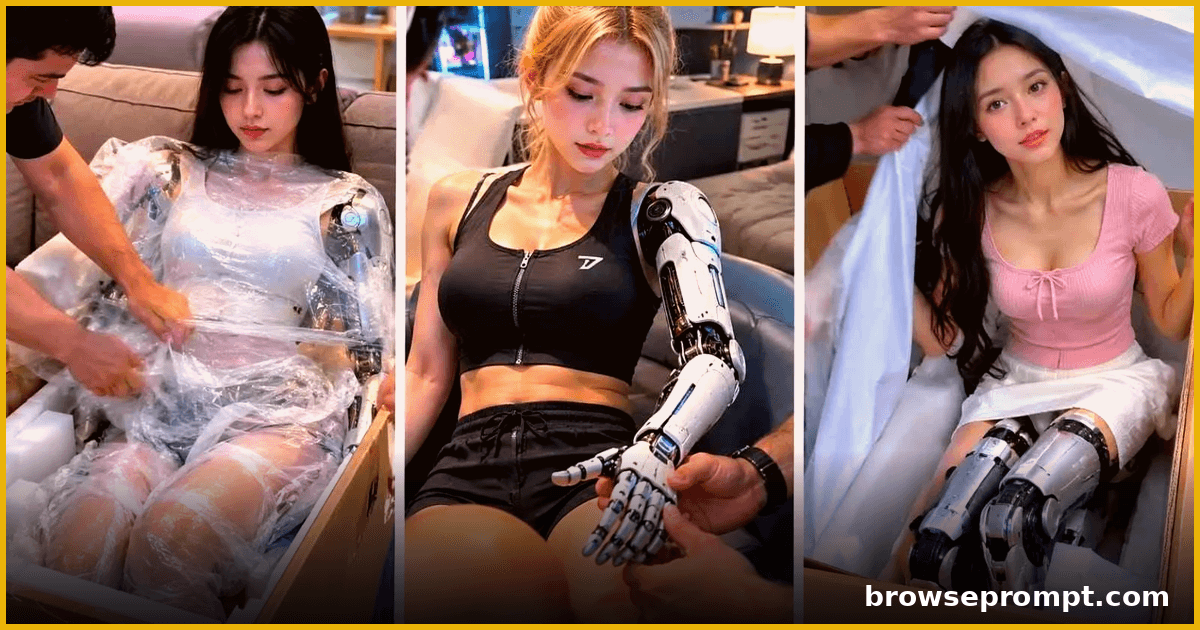 Video Prompts
First Boot: Hyper-Real Robot Reveal
An unboxing like no other: a hyper-realistic humanoid robot girl powers on for the first time, in stunning cinematic detail.
- Runway
- Sora
- Veo 3
By Priya Sharma